The academic world's best-kept secret: Zotero.
What Excel is to the business world, Zotero is (or should be) to the world of academia and writing.
Zotero is a software that:
- Keeps track of all your research sources.
- Quickly adds new sources to your database from an extension.
- Lets you read PDFs in your database, adding notes and highlights.
- Automatically generates footnotes, in-text citations, and bibliographies in Word and Google Docs.
And, it's free!
Zotero's strength is not that it does each function the best, but that it does them all in one place. Can you find a better PDF reader? Probably. But can you also use it to generate an entire bibliography in Word or Google Docs? Likely not.
So, what does Zotero do, how do you use it, and is it for you?
Let's break it down.
Adding Sources to Zotero
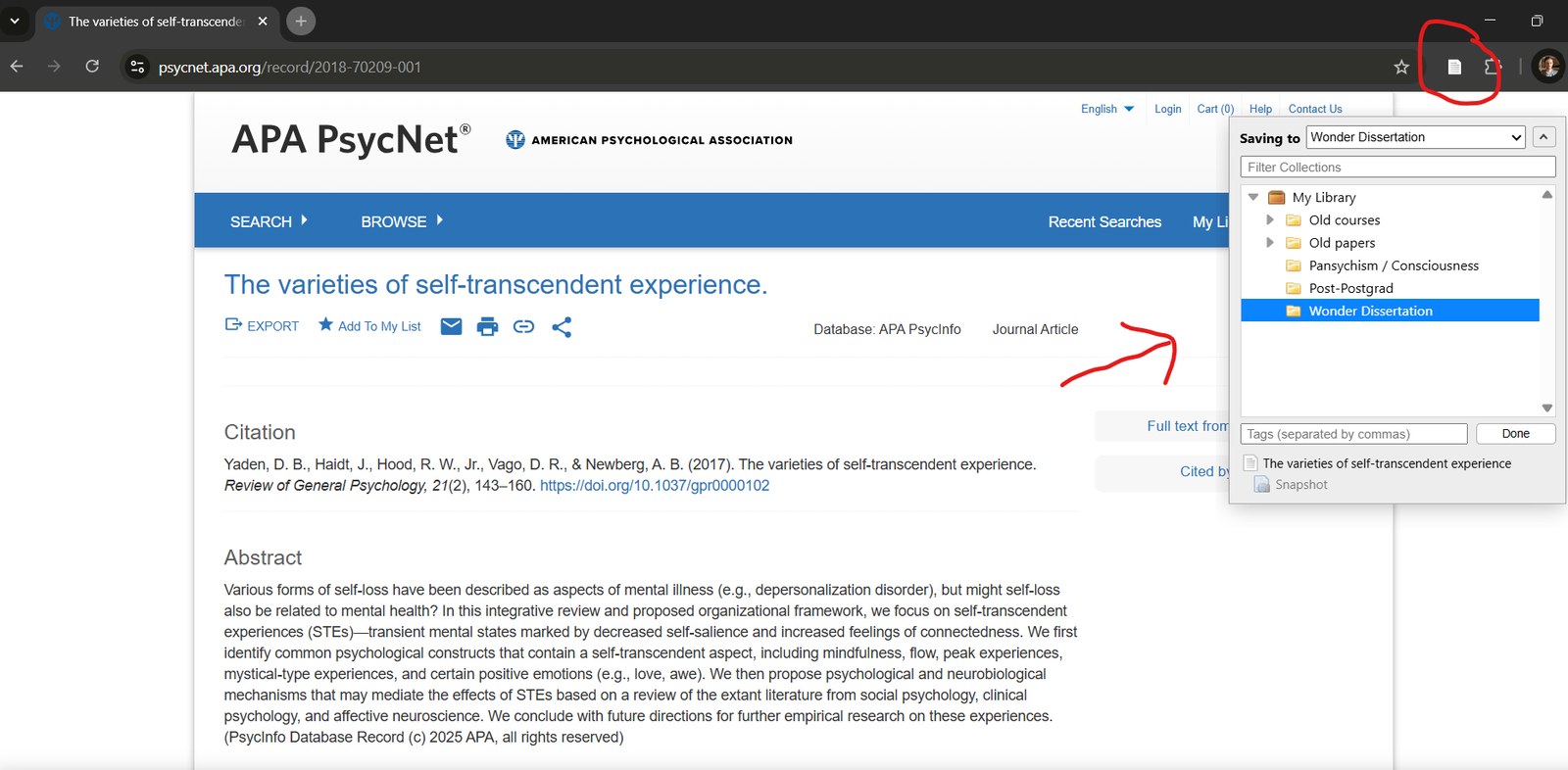
First, find the academic paper you want to read. Zotero scans the webpage and finds the data it needs: Title, author(s), date of publication, and more. If you have access to a downloadable PDF in the paper, it will automatically download it to your database as well.
💡 Tip: If you read a real, physical book, checked out from the library for example (nice!), then you can look the book up in Google Books and add it to your database for citation purposes.
Organizing Your Database in Zotero
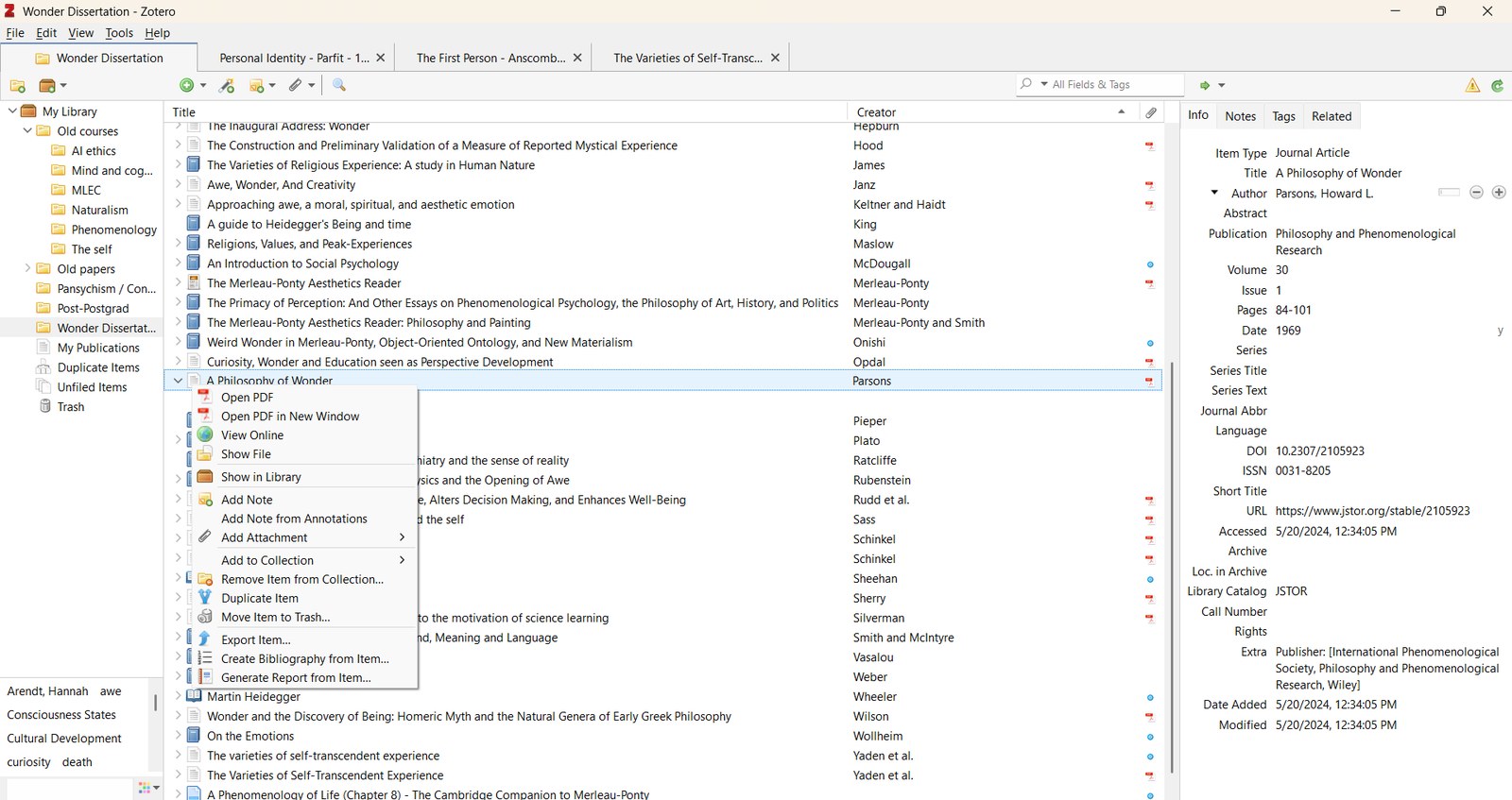
Looks nerdy and overwhelming, I know. But when research projects get to dozens to hundreds of citations, you need a rigorous method of organization.
You can create folders, "libraries," and folders within folders. You'll find all the data you could possibly want to know on this page. (The database is backed up online.)
💡 Tip: You can generate a single, one-off citation in your favorite style, APA, MLA, or Chicago, in a pinch (mine is Chicago with in-text parenthetical citations).
💡 Tip: When you add the source to your database, double-check everything. Do this work up front. If the paper is in all caps on the webpage, for example, you might need to manually change it. Zotero also occasionally over-reads information. By that, I mean it might state "2nd ed. edition." Just double-check all is well as soon as you add the source to your database. It will save you hassle down the line.
Reading Papers in Zotero
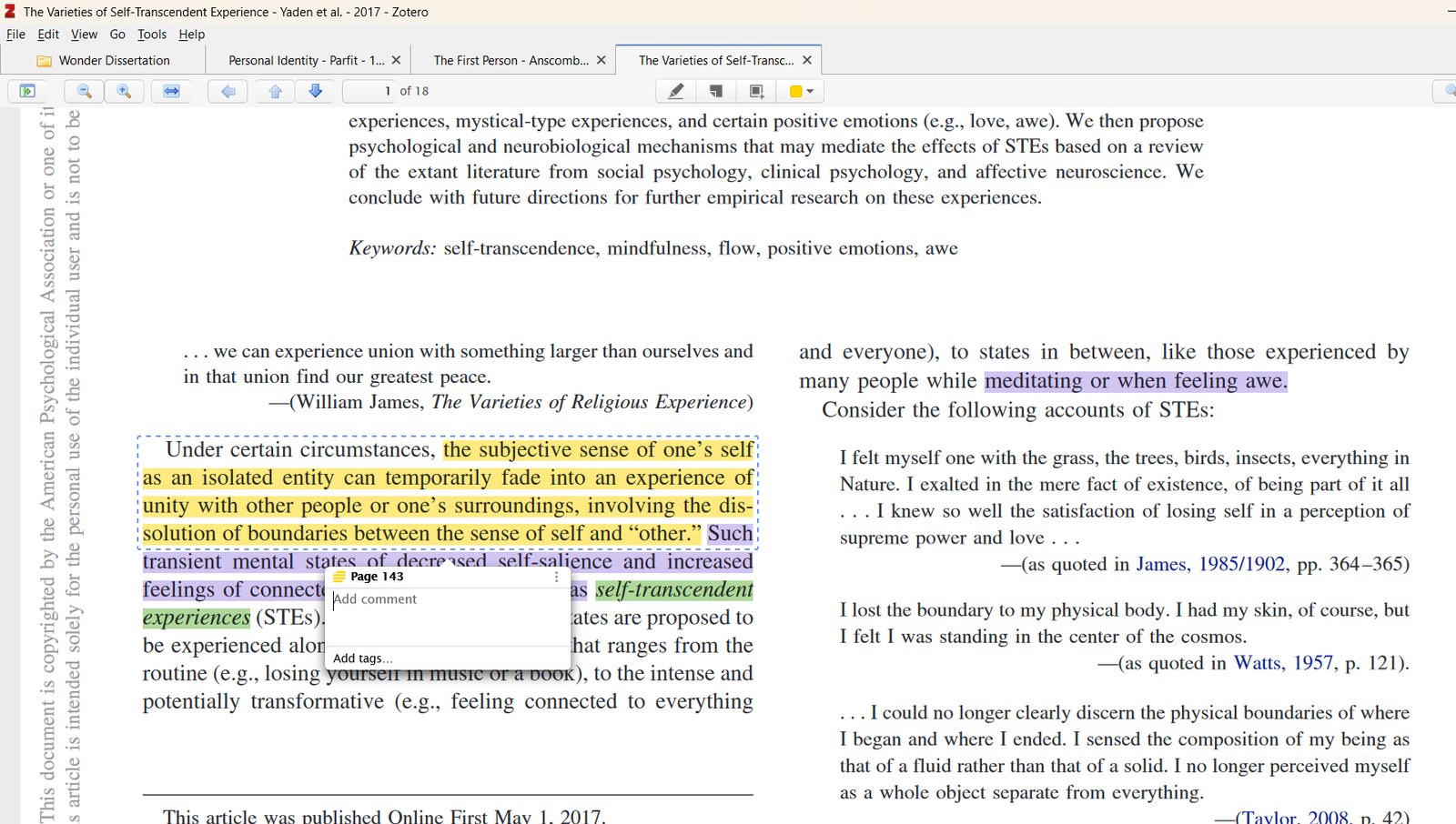
With good PDFs, you can then read them in Zotero, adding highlights and comments.
Pretty self-explanatory.
💡 Tip: Older PDFs, scanned from books or journals, usually can't be highlighted. I recommend using Google's free "Optical Character Recognition" transformer, which, through AI, turns crappy PDFs into software-readable ones.
Adding In-Text Citations
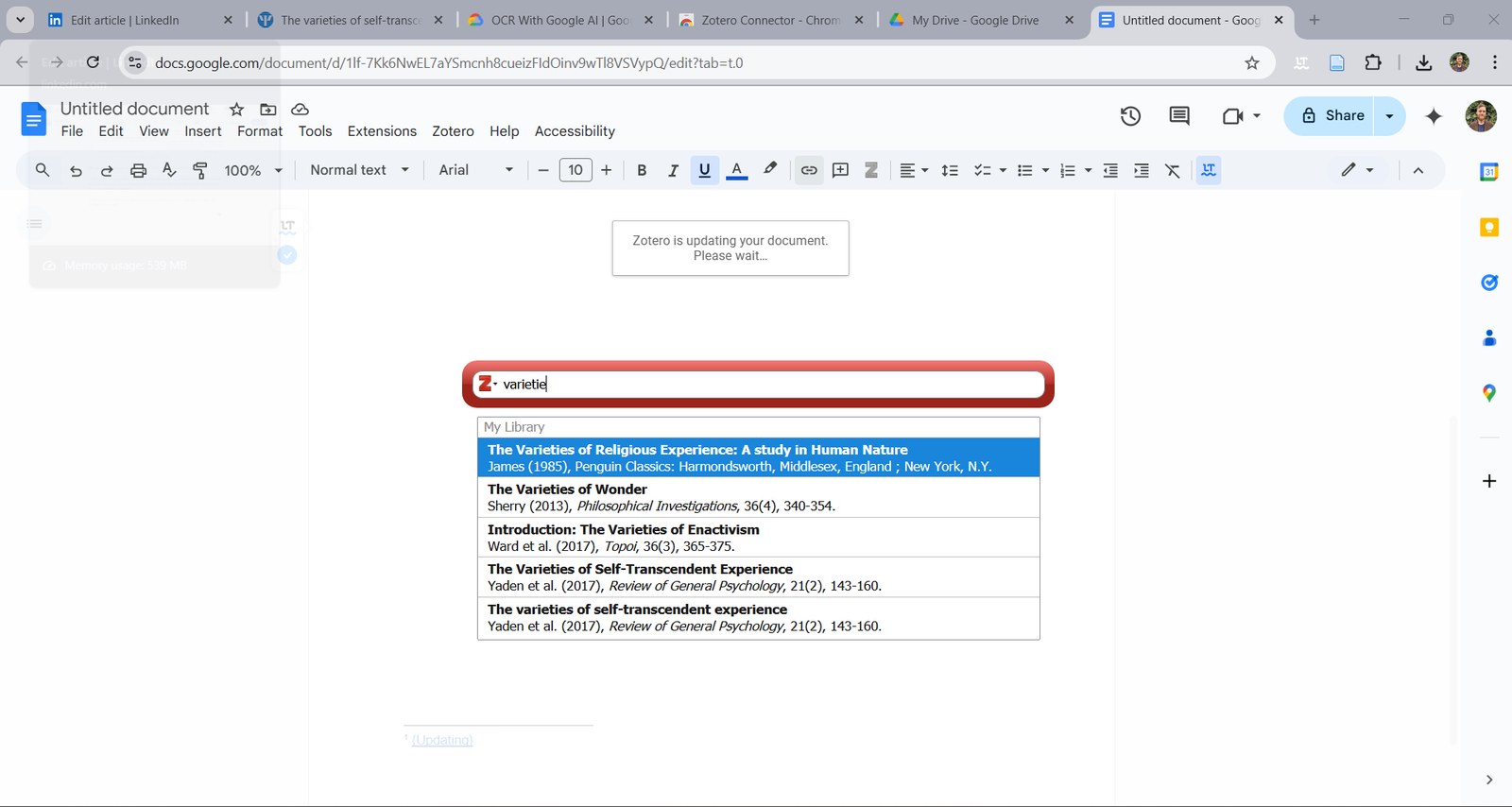
After plugging along in your word processor of choice, you then use the Zotero extension to add a citation. The first time you do so, you'll be prompted to choose between styles. From that point on, Zotero will use the style in that document.
Then, you search for the citation you want and select it. Later, you can generate a bibliography, and it will update it with new citations you add. When you're ready to submit it, you just unlink Zotero, and voilà.
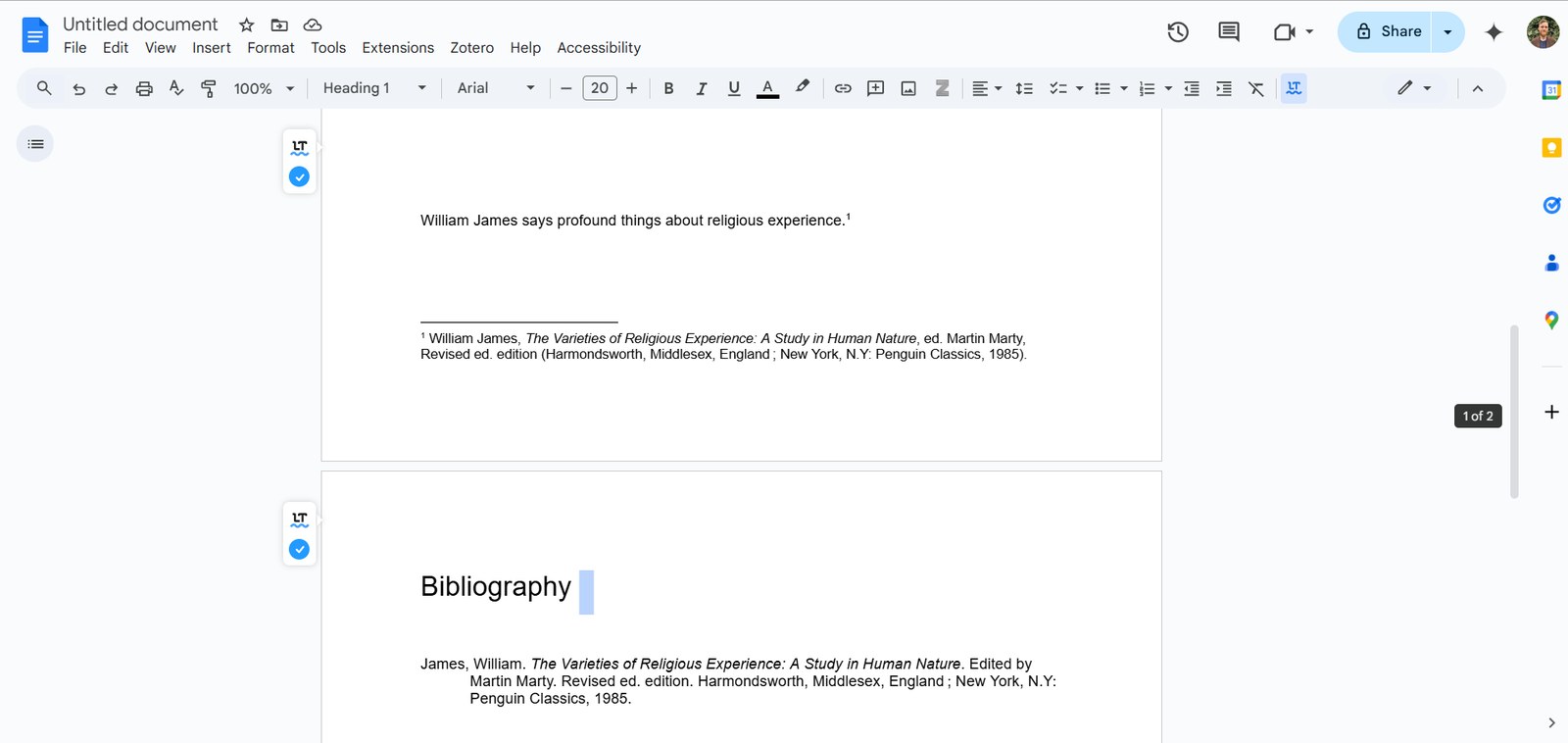
💡 Tip: Make sure to double-check Zotero's work!
Should You Use Zotero?
For researchers and students, I think it's a no-brainer. There might be more premium services, but they will cost money. The sooner you start, the more your research will accumulate in one place.
Writers and editors: It will depend. I think it makes complete sense for them too, but the value add is really in the database. Over the years, it will accumulate as you do more and more research.
Authors: If you're only writing one book with a few endnotes, it's probably not worth it to you. Your editor will help with formatting footnotes and bibliography. If you're doing a large, highly researched non-fiction work, however, use this database to keep track of your research.
Editors: Since you're going to be intensely double-checking and proofreading the bibliography and footnotes and might have a special word processor, Zotero may not be for you.
Do you use Zotero? Why or why not?
I'm a writer, editor, and researcher who works with companies like Barna and authors like Jefferson Fisher. Reach out at marklegg.writing@gmail.com.
No generative AI was used in the making of this content.